


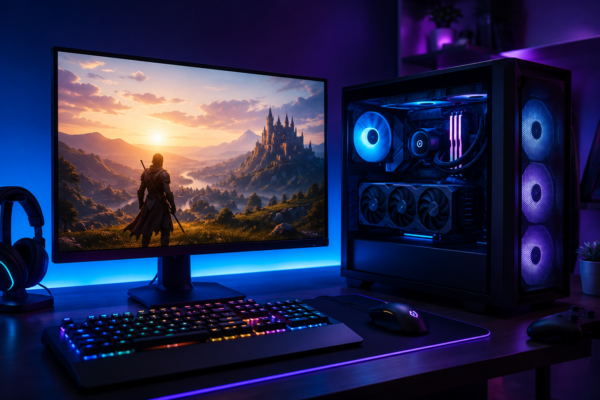
Smooth 4K Gaming – You finally invested in a 4K monitor. Maybe you paired it with a new graphics card (GPU), expecting ultra-sharp visuals and smooth gameplay. But instead of a cinematic experience, you’re greeted by dropped frames, stuttering motion, and frustratingly long load times.
The reality is that achieving great 4K gaming involves more than a high-resolution display and GPU. Rendering nearly 8.3 million pixels per frame1* can place significant demand across your entire system. Many components, from the GPU and processor to memory and storage, play a role in keeping performance smooth and responsive. When one link in the chain falls behind, the impact may be immediately visible: frame rates may drop, graphics could struggle to load in time, and your experience may be severely affected.
While there may be many components to it, getting a high-performance and smooth 4K setup isn’t actually that difficult to achieve though, it’s about having the right balance of components working together.
Here’s what can help make a real difference.
1. A GPU that can actually handle it
This one’s obvious, but worth saying anyway. 4K gaming can be brutal on graphics cards. You need a powerful GPU with sufficient performance capability and enough VRAM headroom that you won’t be fighting texture pop-in mid-game. Aim for a current-generation card with higher VRAM capacity. Anything less, and you may find yourself dropping settings just to keep things playable. Not exactly what you signed up for.
2. A CPU that won’t bottleneck everything
Gamers sometimes obsess over GPUs and don’t pay enough attention to processor. Bad move. A weak CPU will choke your frame rates no matter how good your graphics card is. Look for something with strong single-core performance and enough cache to keep your GPU fed rather than waiting around. You don’t need the most expensive chip on the market. You just need one that can help keep pace.
3 Storage that keeps up with the game
4K gaming isn’t just a graphics challenge; It’s a storage challenge too. Modern game files are enormous in size, often pushing past 100GB, packed with high-resolution textures and assets that need to load fast. A slow drive creates bottlenecks you’d never expect like stuttering textures, long load times, and that frustrating lag right when the action picks up. This is exactly where the SANDISK Optimus™ GX and Optimus™ GX PRO range of internal SSDs comes in. The storage portfolio is purpose built for gamers who want lightning-fast load times, expanded capacity, and power efficiency.
The blazing-fast read and write speeds help make the difference when you’re loading massive open-world maps or switching between games.
4. Enough RAM, and the right speed
16GB used to be the standard. These days, especially with multitasking and background apps running while you game, 32GB is becoming the smarter call. High-performance DDR5 is worth the investment here, fast enough to keep data flowing without becoming the weak link in your build. Faster RAM means quicker data access, which translates to smoother gameplay when things get demanding.
5. A display that does 4K justice
Resolution alone isn’t enough. You want a high refresh rate, low input lag, and proper HDR support if you’re going to notice the difference 4K can make. Look for a panel that pairs sharp 4K clarity with a refresh rate that actually matters during fast-paced action. A cheap 4K display with poor colour accuracy will leave you wondering why you even bothered upgrading.
6. Reliable, fast internet
Online gaming at 4K isn’t just about local hardware. Latency and bandwidth quietly become a problem at higher resolutions, especially the moment you start streaming gameplay or downloading massive game updates in the background. This is where bitrate sneaks up on people. Standard HD streaming might get by on 5 Mbps, but 4K content, whether you’re streaming your gameplay or just watching something while a game downloads, often needs 25 Mbps or more just for stable playback. Add online multiplayer into the mix, and you’ll want your connection comfortably north of that, ideally 50 Mbps or higher, to leave enough headroom for everything running at once.
A wired connection beats Wi-Fi every time here, since wireless signals fluctuate and introduce latency spikes you won’t notice until your character lags half a second behind your input. If Wi-Fi is your only option, look for a router supporting Wi-Fi 6 or newer, and keep your gaming rig as close to it as possible. Don’t fight your own internet while trying to enjoy a smooth gaming session.
7. Proper cooling
All that extra processing power can generate heat. Thermal throttling is real, and it quietly degrades your performance without you even realizing what’s happening. A quality tower cooler or all-in-one liquid cooler handles sustained loads well without turning your case into a furnace. Decent airflow, a solid cooler, maybe even liquid cooling if you’re pushing things further. Investing in proper cooling solutions is not optional anymore.
Get these seven pieces working together, and 4K gaming can become what it should be.